
Search MYOB Sales Invoice Lines by Customer or Product
Need to find the details behind a MYOB sales invoice? Start with the question you need to answer: which customer bought a particular product, what was charged for it, or which invoice included an item code. An invoice total alone cannot answer those questions. You need the individual invoice lines.
How to find MYOB invoice line items by customer or product
- Open the Sales Invoice Search page in StrongInfo Insight after connecting your MYOB account.
- Enter part of a customer name, an item code, a product name or a product description. You can combine these fields to narrow the search.
- Select a start date and end date when you know the approximate period.
- Review the matching invoice lines in the results table. Each line shows its invoice date and number, customer, item code, description, unit price, discount, quantity and product amount.
- Use the CSV export option if you need to review the matching results in a spreadsheet.
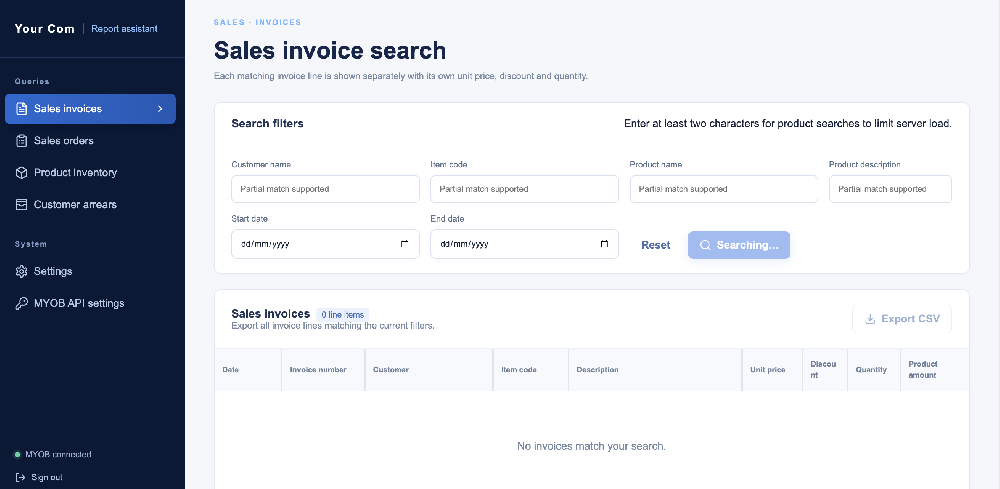
Example: which customers bought a particular item?
Suppose you know an item code but not the invoice number. Enter the code and a date range. Insight lists matching sales invoice lines with the customer and invoice number beside the item details. To answer a question about one customer's past purchase, add part of the customer name to the search. You can then check the description, quantity and unit price without opening each invoice separately.
How does this compare with MYOB's sales reports?
MYOB already provides Sales [Customer Detail] and Sales [Item Detail] reports. The first shows invoice line items for selected customers; the second shows sales for selected items. These are useful native reports and may be enough for your task. Insight offers a separate search screen when you want to combine customer, product and date conditions, inspect matching lines in one table and export the results. See MYOB's sales reports guide for the available report options in your MYOB plan.
When is this search useful?
- Checking which invoice contains a product or item code.
- Finding what a customer bought in a selected period.
- Reviewing invoice line descriptions, quantities and prices.
- Preparing a CSV of matching invoice details for further analysis.
Insight currently starts with Sales Invoice Search as its focused one-page option. Other standard query and report pages are added as they become available. Learn about access, the trial and pricing on the StrongInfo Insight product page.
Let’s talk about your working day.
Tell me about your bookings, team and daily tasks. We can explore a setup that fits your business.